Take the photo, let AI fill in the form
Plate, make, model and color from a vehicle photo; vehicle details from the registration document. Suggestions appear in purple, and you fix anything wrong with one tap.
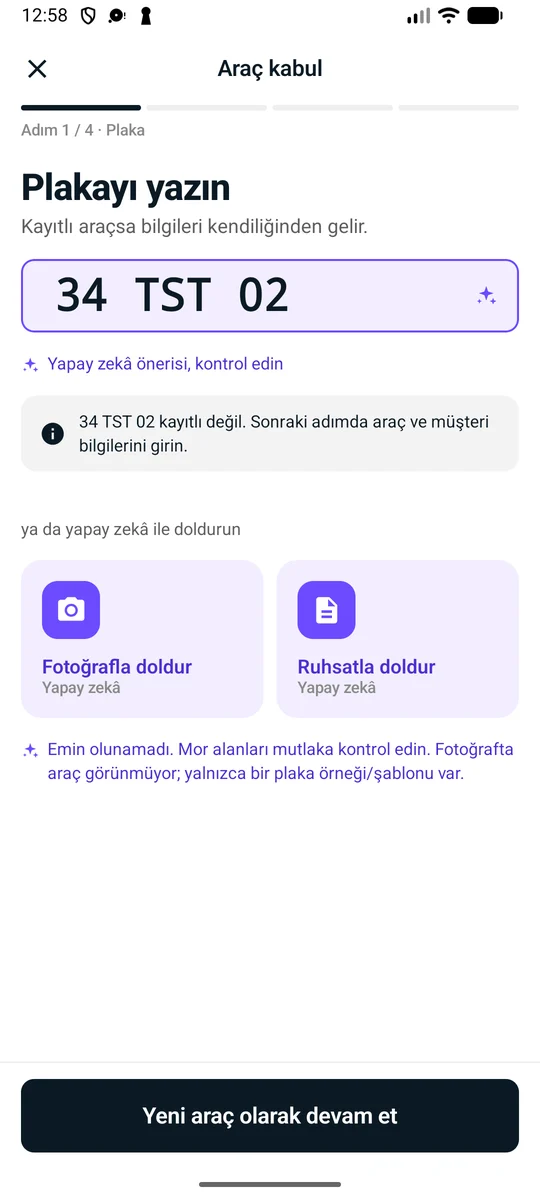

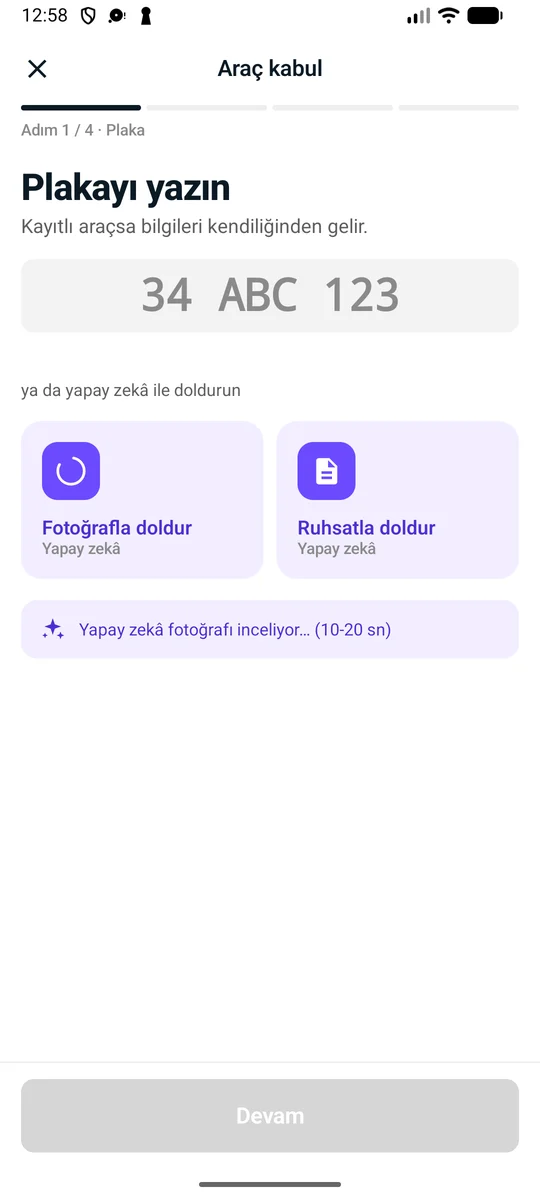
Three steps.
No touching the keyboard.
AI suggests, you decide. No information is saved until you approve it.
- 01
Take a photo
Take a photo with the plate visible, or upload a photo of the registration document.
- 02
Suggestions appear in purple
Plate, make, model and color from the photo; owner name, VIN and other details from the registration document. All in different colors, as suggestions.
- 03
Review and save
Correct what's wrong and approve the rest. If the plate is on file, the existing vehicle and its history open.
What does it read, and what doesn't it?
Reads the plate from a vehicle photo and estimates the make, model and color from the vehicle's appearance. If the plate is already in the system, it opens the existing vehicle and its service history.
Reads the plate, make, model, year, color, fuel type, VIN and the owner's name from the registration document. The national ID number and address are deliberately not read.
Nothing is saved until you approve it
The AI only fills in the form. Every suggested field is shown in purple; you correct any that are wrong and confirm the rest.
Analyses that can't be read or that fail don't count against your quota. The photo is not stored on our systems.
Privacy
Photos aren't stored with us
The image is sent to the AI provider only for analysis; it isn't saved in our system and the provider is asked not to retain the response.
Registration document
Turkish ID number and address aren't read
Only the information needed for vehicle check-in is taken from the registration document.
Fair use
Failed analyses don't count
Analyses that can't be read or that error out don't count against your allowance.
Speed
A few seconds instead of typing
Instead of typing plate, make and model one by one, the advisor takes a photo and checks it.
Not unlimited,
but fair.
Every plan has a monthly analysis allowance; in busy periods you continue with an extra pack. That way neither you get a surprise bill nor does the service stall.
Monthly analyses included in your plan
Extra analysis packs
Pick up where you left off when your monthly allowance runs out. Extra analyses you buy don't expire.
- 100 analyses149 ₺1.49 ₺ per analysis
- 500 analyses599 ₺1.2 ₺ per analysis
- 2,000 analyses1,990 ₺1 ₺ per analysis
Questions
- No. The AI Assistant is turned on as an add-on on paid plans.
- You keep doing vehicle check-in by hand. If you like, you can buy an extra analysis pack from the web dashboard; your monthly allowance is used first, then your extra analyses.
- Plate and registration document reading is mostly accurate, but AI can be wrong. That's why every suggestion is shown in purple and isn't saved until you approve it.
- In the Android app, use the camera or pick a photo from the gallery.