Skip to content
Designed for auto repair shops from the ground up

Less paperwork,
more vehicles

From vehicle check-in to handover, from inventory to payment, every job in the workshop lives in the same record. Manage it from the web dashboard, use it on your phone in the workshop.

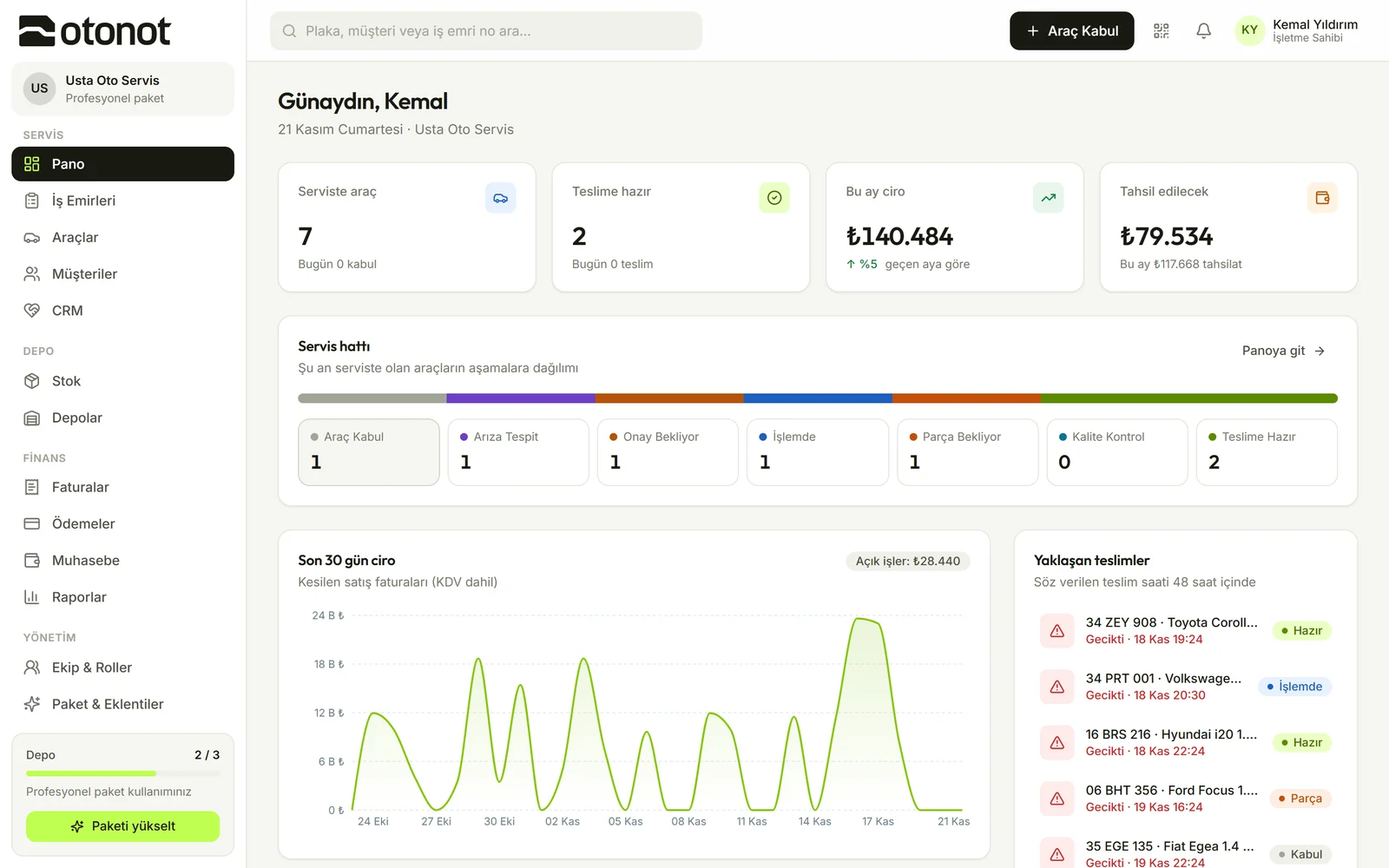
OtoNot dashboard: vehicles in the workshop, jobs ready for pickup, revenue and the workshop line

When the workshop runs itself, you focus on the car.

From check-in to handover.
In one record.

The advisor, technician, bookkeeper and customer all look at the same work order. Nobody calls anybody to ask "what happened with this car?".

Vehicle check-in

Vehicle check-in in two minutes

  • Find it instantly by plate

    It arrives with its vehicle history if registered; if not, the vehicle and customer are created in the same step.

  • Say the complaint, have it written

    Turkish voice notes; mileage, handover time and advisor on one screen.

  • Let AI fill it in if you like

    Plate, make and model from a photo; vehicle details from the registration document (add-on).
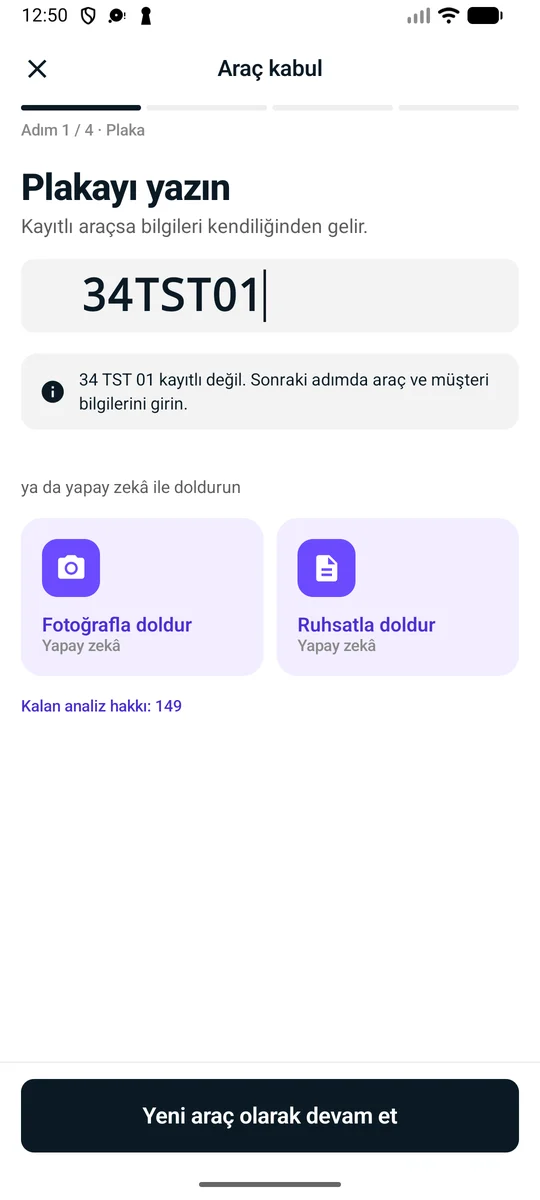
See check-in with AI
Mobile check-in screen

Workshop and work orders

Everyone knows the next job

  • Clear stages

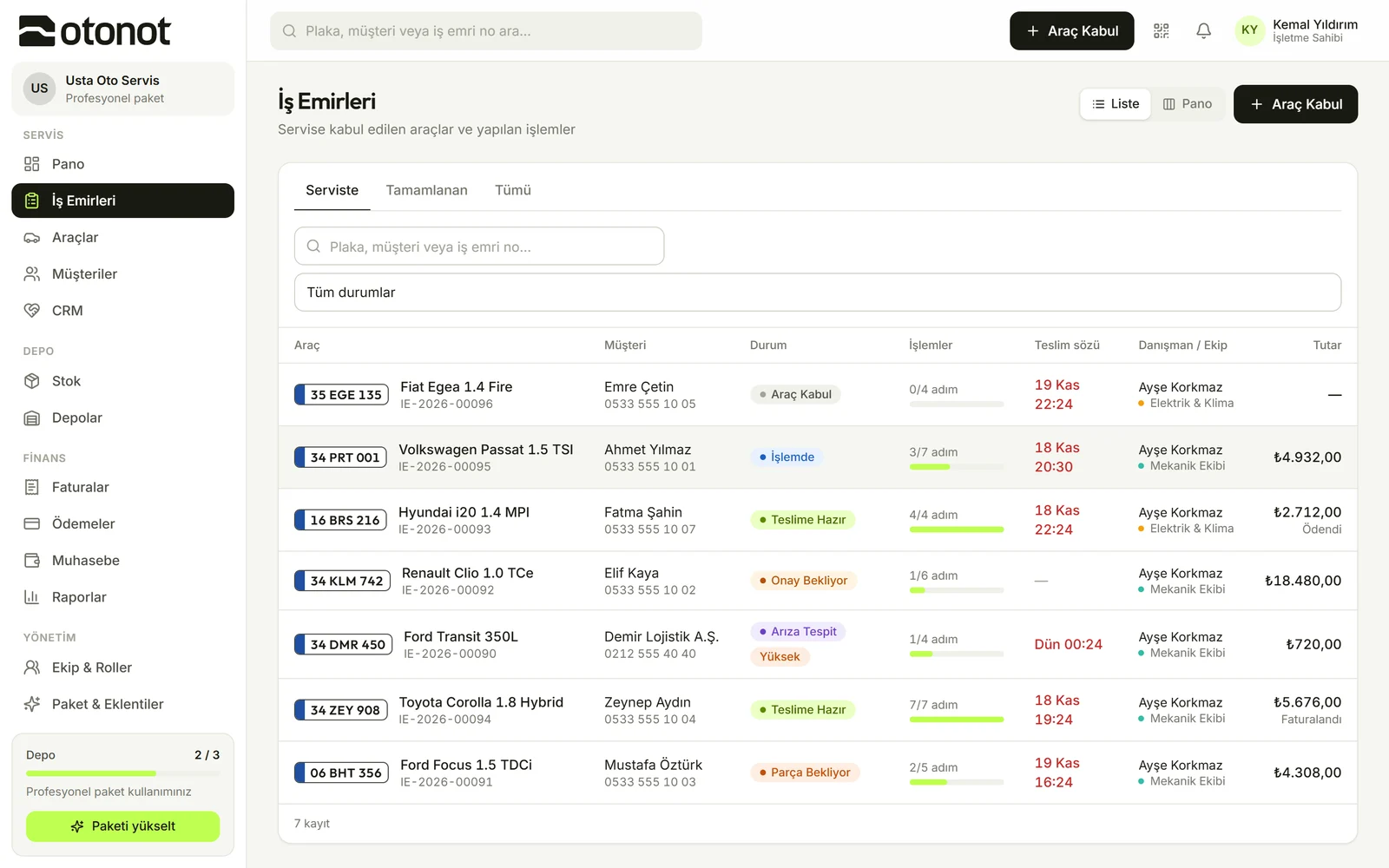
    Vehicle check-in, Diagnosis, Awaiting approval, In progress, Quality check, Ready for pickup, Handed over.

  • Step-by-step work

    Work steps are assigned to a technician or the team; parts and labor are separate line items.

  • No delay goes unnoticed

    Jobs nearing or past their handover time are flagged on the dashboard.

Work orders list

QR customer tracking

Your customer tracks their vehicle from their pocket

  • No app needed

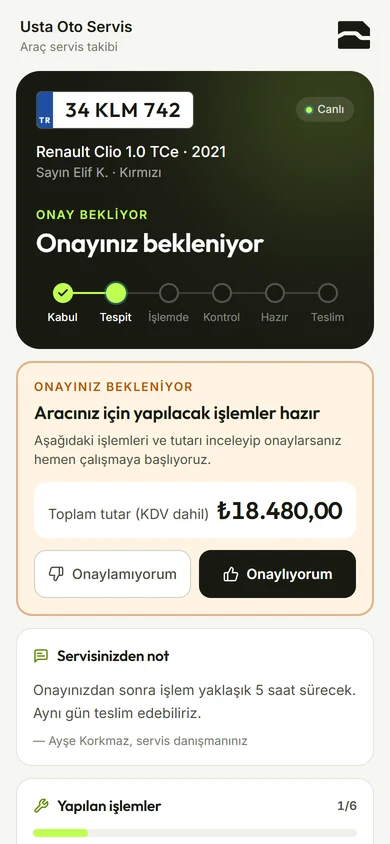
    The vehicle-specific QR code or SMS link opens in the phone's browser.

  • One-tap approval

    The planned work and the amount are on the customer's screen; once they approve, the technician starts.

  • With your own brand

    Only your workshop's logo and name on the tracking page (add-on).

Open the demo tracking page
The tracking page your customer sees

Inventory

Where's the part, how many are left?

  • From work order to inventory

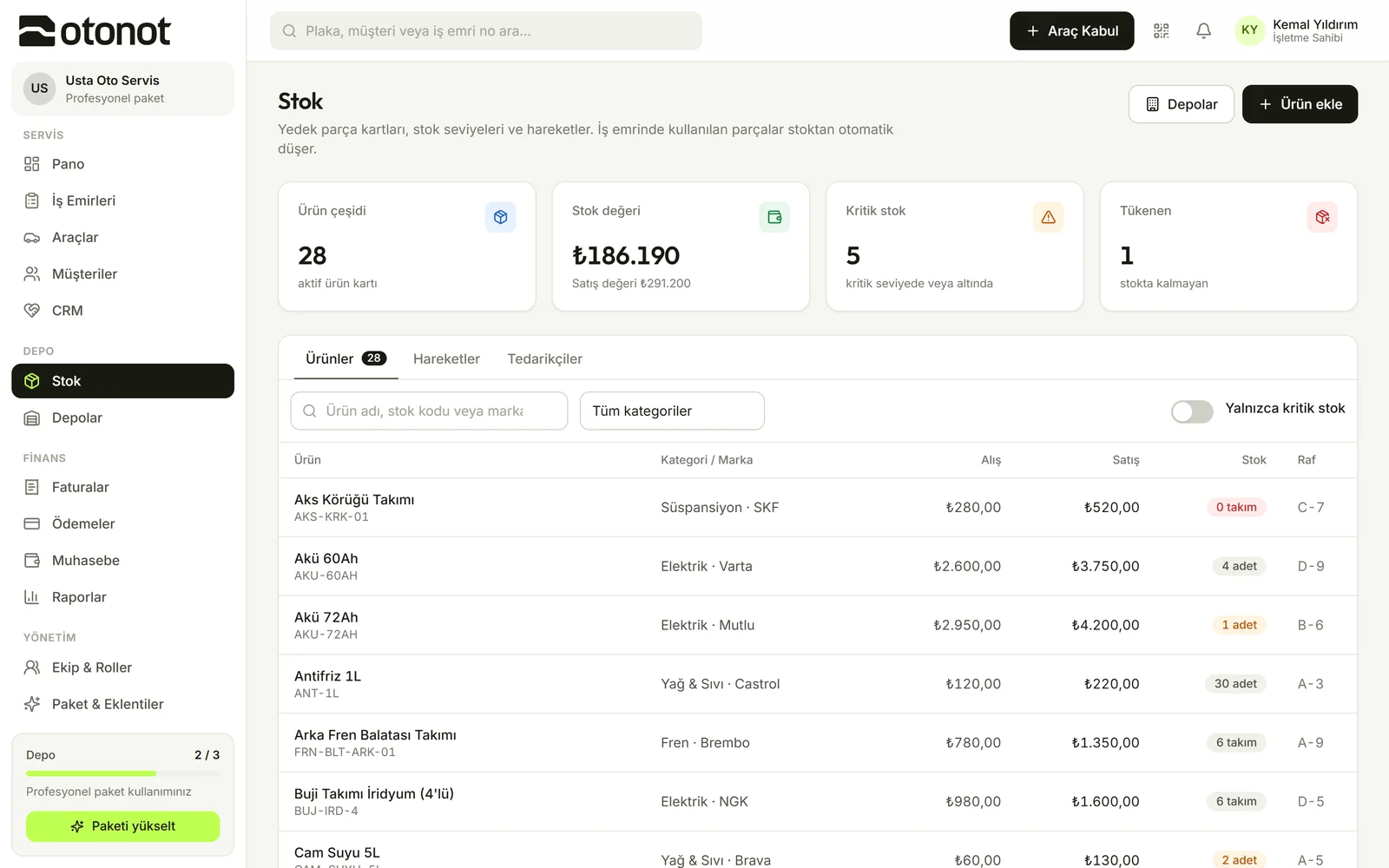
    Parts added to a work order are deducted from inventory automatically.

  • Low-level alert

    Items running low stand out; shelf location and supplier are on record.

  • Multiple warehouses

    Warehouses and stock movements in one view.

Inventory screen

Invoices and payments

Job done, invoice ready

  • Invoice in one click

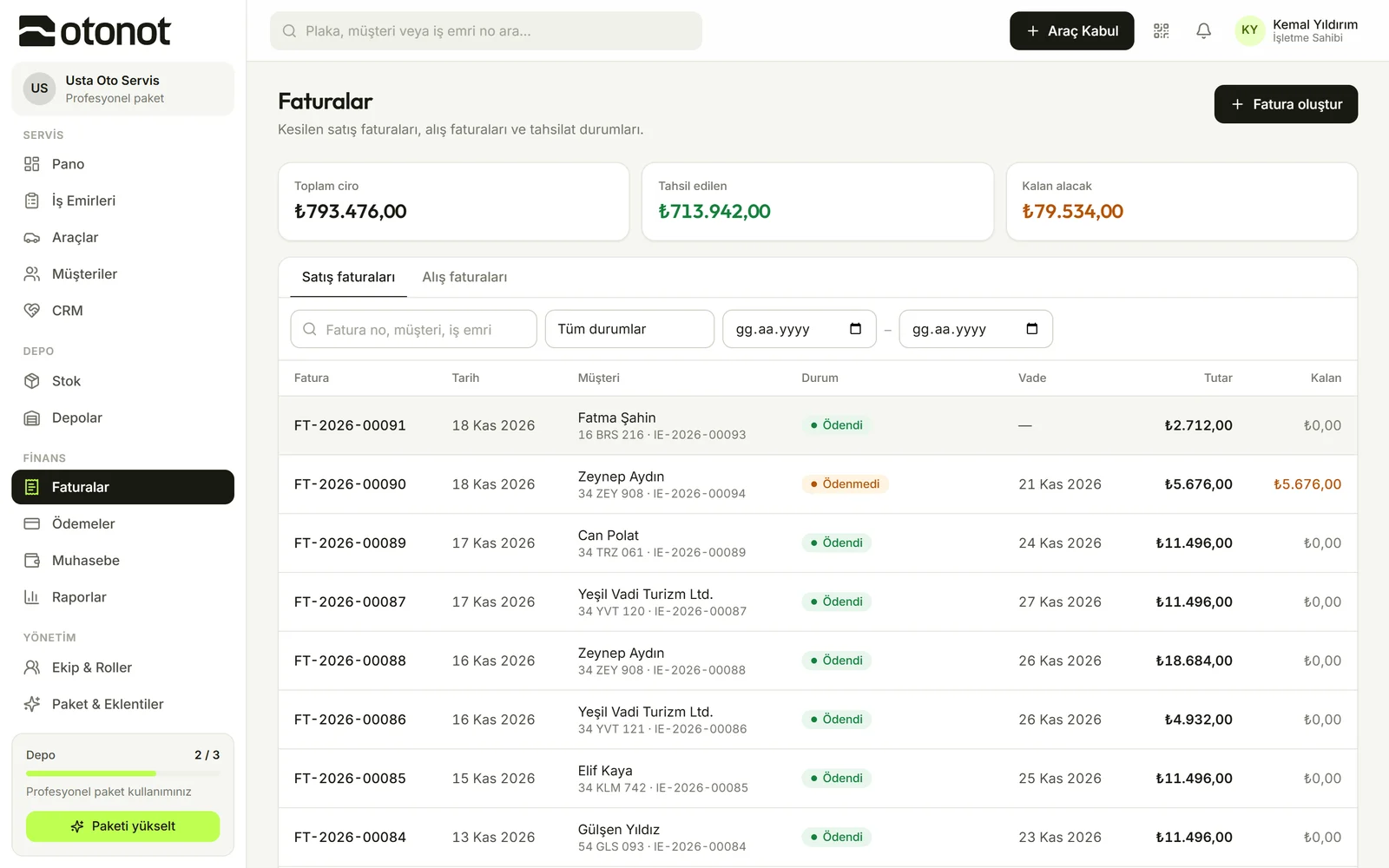
    The sales invoice at handover is generated from the work order.

  • Partial payments and due dates

    Cash, card or transfer; the outstanding balance is always up to date.

  • Cash and balances

    Income, expenses and balance per customer.

Invoices and payments

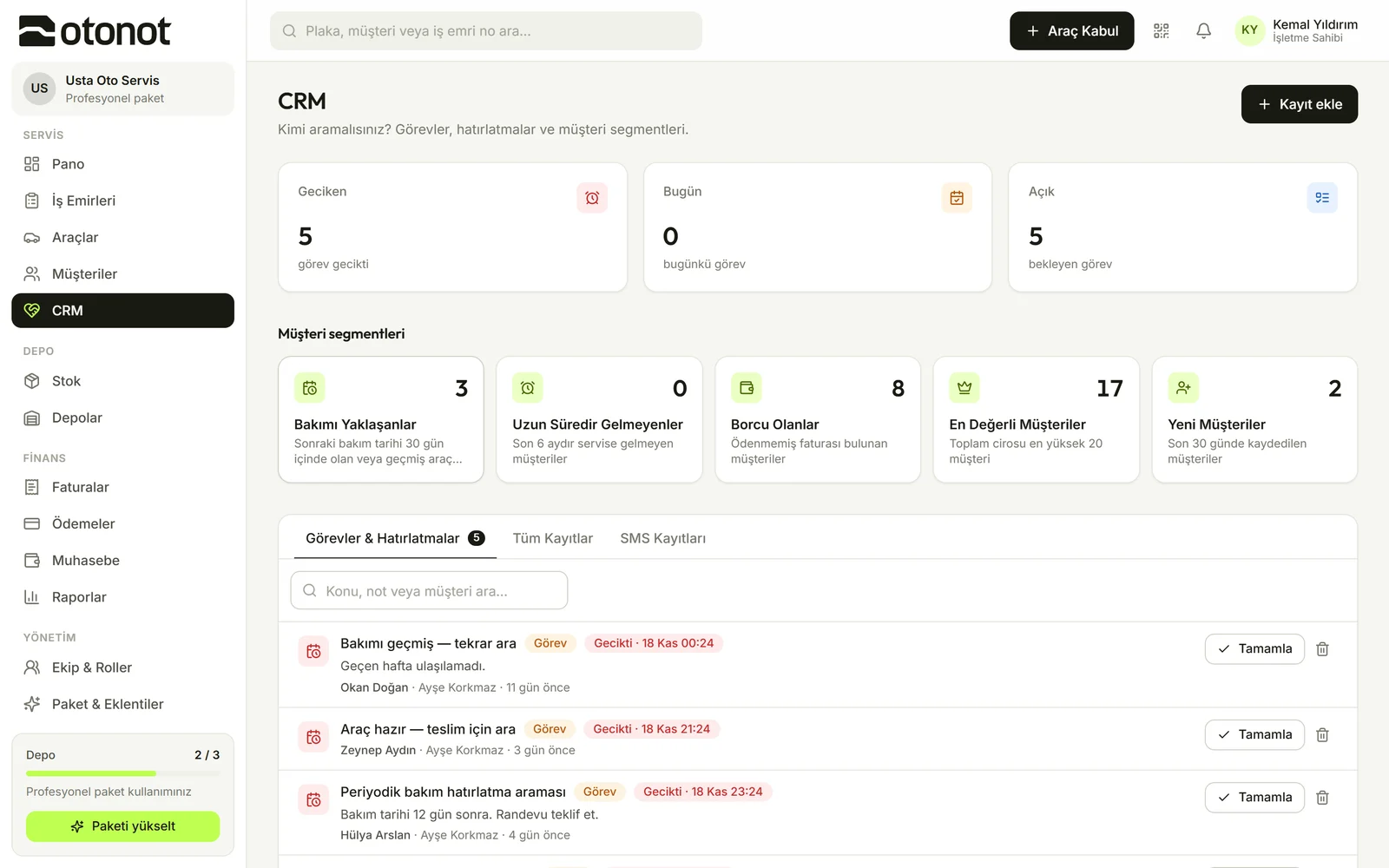
CRM and reminders

The customer comes back to you for the next service too

  • Ready-made segments

    Customers due for maintenance, lapsed, or with a balance are separated automatically.

  • Tasks and reminders

    Calls and tasks are assigned to the team, and overdue tasks are flagged.

  • SMS history

    Sent notifications are stored on the customer card.

CRM screen

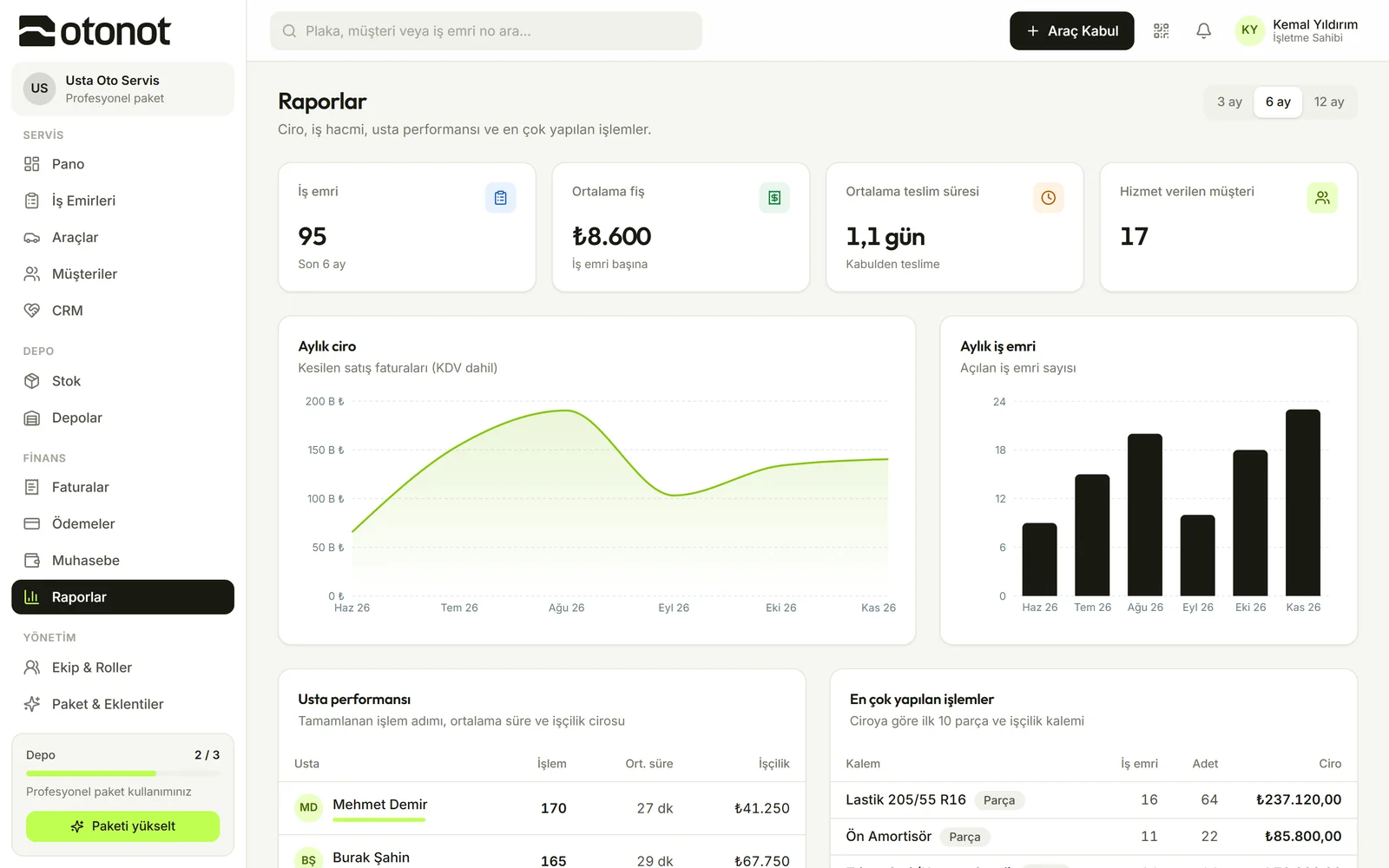
Reports

Your workshop's pulse on one screen

  • Revenue and work orders

    3, 6 and 12-month charts, average ticket and turnaround time.

  • Technician performance

    Who delivered how many jobs, and the average time.

  • Most common jobs

    The most frequent jobs and best-selling parts.

Reports screen

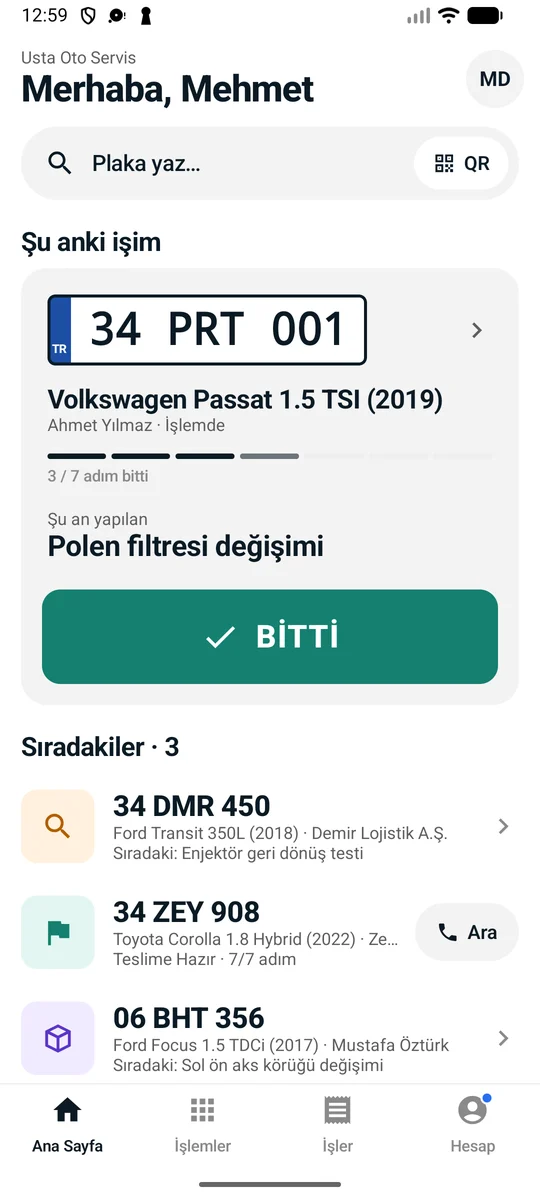
Mobile app

All you need in the workshop is a phone

  • One tap for the technician

    The "My current job" card and a big "Done" button.

  • Go to the work order via QR

    Scan the QR on the vehicle and the work order opens.

  • Parts, notes, calls

    Add parts from inventory, voice notes, and call the customer with one tap.

Try it on your phone
Technician's home screen

OtoNot in numbers

  • 7

    stages of work order tracking

  • 5

    built-in roles, 21 separate permissions

  • 0 ₺

    to start, no time limit

  • 5

    interface languages

Your data is yours.
Access is in your control.

  • Separated data

    No other workshop can see you

    Each business's records are kept separate. Connections are encrypted with HTTPS.

  • Roles

    Everyone does their own job

    Separate permissions for technicians, advisors, bookkeeping and managers.

  • Records

    Who, what, when

    Work order changes are stored along with who made them.

  • Continuity

    Your data stays even if you downgrade

    Even if you change your plan, your records aren't deleted.

Questions

  • You can start using it as soon as you open your account and enter your workshop details. Invite your teammates and check in your first vehicle the same day.
  • No. The tracking page opens in the phone's browser via QR code or SMS link.
  • There's an Android app; the web dashboard also works in the browser on phones, tablets and computers.
  • No. You use only the modules you need; features not in your plan can be turned on as add-ons.
Free plan, no time limit

Set up today,
use it in the workshop tomorrow.

Product — OtoNot